The Verdict (2026): Canva AI edges out Adobe Firefly for quick, non-designer workflows and social media content. Firefly wins on professional-grade output and Creative Cloud integration. Pick Canva AI when you need fast turnaround without a learning curve; choose Adobe Firefly for pixel-perfect commercial work that demands precise creative control.
| Criteria | Canva AI | Adobe Firefly |
|---|---|---|
| Best for | Small teams, marketers, social media managers | Professional designers, agencies, enterprise brands |
| Pricing | Free tier available; Pro $12.99/month | Free limited; Premium $4.99/month standalone or included in Creative Cloud ($54.99/month) |
| Key strength | All-in-one design platform with AI built in | Commercial-safe training; Photoshop/Illustrator integration |
| Best avoid if | You need high-resolution print work or granular layer control | You want simple, quick designs without learning Adobe’s ecosystem |
Who This Comparison Is For
This head-to-head breakdown targets marketers weighing AI design tools, freelance designers exploring faster workflows — and creative directors evaluating enterprise solutions. Whether you’re a solopreneur cranking out Instagram posts or an agency handling Fortune 500 campaigns—this comparison cuts through the noise.
Canva AI: The Democratizer of Design
Last week, I watched a real estate agent create a 15-slide listing presentation in under eight minutes. No design training. No tutorials. Just Canva AI.
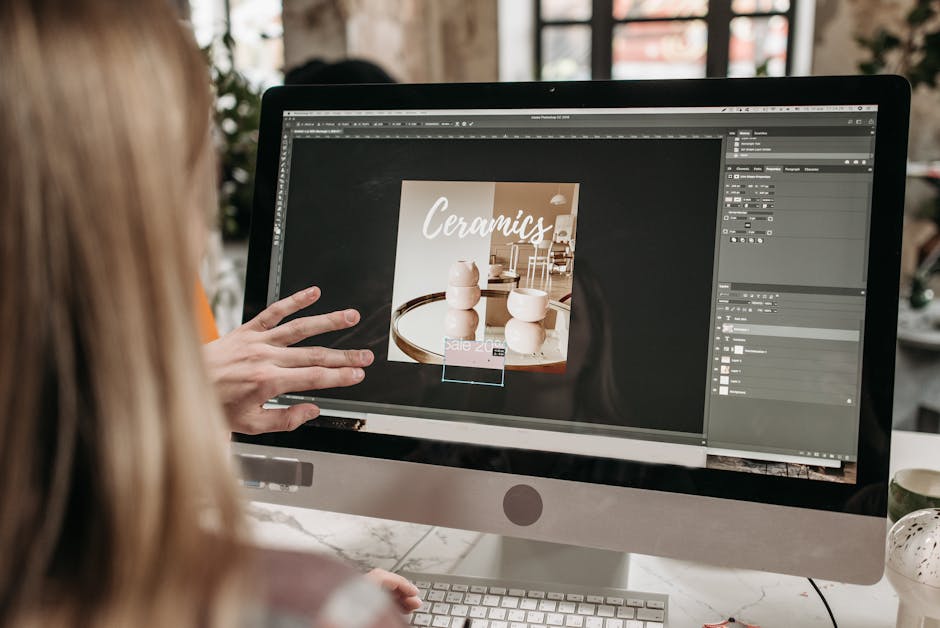
Photo by Pavel Danilyuk on Pexels
That’s the pitch Canva has perfected since rolling out Magic Studio in late 2023—and by 2026, it’s become genuinely impressive. The Australian company now serves over 170 million monthly active users, according to Canva’s official newsroom, and a significant chunk of that growth traces directly to their AI features.
Canva has transformed from a simple drag-and-drop design tool into a thorough AI-powered creative suite that prioritizes accessibility without sacrificing capability. Its AI features, collectively branded as “Magic Studio,” integrate directly into workflows that millions of non-designers already understand.
What Canva AI Actually Includes
Canva doesn’t sell AI as a separate product. It’s baked into everything:
- Magic Design: Upload an image or describe what you want; the system generates complete layouts—not just single images. Unlike standalone generators, these outputs arrive fully integrated with Canva’s editing ecosystem, meaning every element remains adjustable.
- Magic Write: GPT-powered copywriting that pulls from your brand voice settings, producing copy for social captions, presentations, and marketing materials.
- Magic Edit: Brush over any part of a photo and describe changes. “Remove the person in the background” actually works now.
- Magic Expand: Extend images beyond their original borders with AI-generated content—useful when stock photos don’t quite fit your aspect ratio needs.
- Magic Media (Text-to-Image and Video): Generate images from prompts directly inside your design canvas. The 2025-2026 updates brought significant improvements, though Canva still relies partly on partnerships with external AI models. Generated images drop directly into your design canvas, sized appropriately for your chosen format.
- Background Remover and Magic Eraser: One-click cutouts that rival dedicated tools. These features received substantial AI upgrades in 2026, with edge detection now handling knotty subjects like hair and transparent objects with noticeably improved accuracy.
The 2025-2026 updates also added Magic Animate for auto-generating video transitions and Magic Resize that intelligently recomposes—not just crops—designs for different platforms.
Pricing Reality Check
Canva Free provides limited AI credits monthly—roughly 50 text-to-image outputs. That’s enough for experimentation but insufficient for regular production work. Canva Pro at $12.99/month (annual billing) or $14.99/month (monthly) unlocks 500 monthly AI credits, which refresh each billing cycle. Canva Teams costs $10/month per person (minimum 3 users, annual billing), with pooled credits and collaborative features. Enterprise pricing requires direct consultation but typically ranges from $25-30 per user monthly with advanced admin controls and unlimited AI access.
Here’s what most reviews skip: heavy users burn through credits fast. A single Magic Edit uses 1-5 credits depending on complexity. Power users often need the $30/month “AI credit boost” add-on. The credit system frustrates heavy users—500 monthly credits disappear quickly when iterating on AI-generated concepts.
Where Canva AI Shines
Speed-to-publish is unmatched. You can go from blank canvas to polished Instagram carousel in under ten minutes. The templates-first approach means AI augments existing designs rather than starting from scratch—which, paradoxically, produces more usable results than pure text-to-image generators.
Brand Kit integration deserves mention. Upload your fonts, colors, and logos once; Magic Design automatically applies them. AI features automatically reference your uploaded brand assets, ensuring generated content arrives already aligned with your visual identity. For marketing teams juggling multiple clients, this alone justifies the subscription.
Marketing teams producing high-volume social content find Canva AI particularly valuable—the template-first approach means consistent output without starting from zero. Small business owners benefit from the low learning curve; you need not understand design principles to produce professional-looking materials. Educators and nonprofit communicators stretch limited budgets further when one tool handles ideation through final export.
Where Canva AI Falls Short
Resolution ceiling. Canva exports max out at print-quality only in specific contexts—large-format work still requires upscaling elsewhere. And the AI generations, while improving, carry a recognizable “Canva aesthetic” that experienced designers spot immediately. Image generation quality, while improved, still trails dedicated tools when photorealism matters. involved compositions sometimes produce artifacts around edges.
Layer control barely exists. You’re working with grouped objects, not true compositing. Photoshop users will feel handcuffed within minutes. Professional designers may find the guardrails restrictive; Canva optimizes for safe, broadly appealing outputs rather than experimental aesthetics.
Adobe Firefly: The Enterprise-Grade Contender
Adobe entered the generative AI race late—Firefly launched publicly in March 2023—but they’ve played catchup aggressively. By 2026, Firefly powers AI features across Photoshop, Illustrator, Premiere Pro, and Express. Adobe built Firefly specifically to address commercial creators’ concerns about AI-generated content—licensing clarity, brand safety, and integration with professional workflows.
The strategic advantage? According to Adobe’s licensing documentation, Firefly trains exclusively on licensed Adobe Stock images, openly licensed content, and public domain material. That’s not marketing fluff—it’s legal insulation that enterprise clients actually care about.
Firefly’s Capability Stack
- Text to Image: Generate images with extensive style controls—art movements, camera angles, lighting conditions, color palettes.
- Generative Fill (in Photoshop): Select any area, describe what you want, watch it appear. This remains Firefly’s killer feature. The 2025-2026 model iterations dramatically improved coherence with surrounding pixels—professional retouchers now use these tools for production work, not just experimentation.
- Generative Expand: Extend canvas boundaries with contextually aware content.
- Text Effects: Transform typography into stylized artwork—fire, flowers, chrome, etc.
- Generative Recolor (Illustrator): Describe a color palette; vector artwork recolors instantly.
- Structure Reference: Upload a reference image; Firefly matches composition while generating new content. Product photographers use this for creating variations while preserving carefully planned layouts.
- Style Reference: Upload reference images to guide aesthetic direction. Firefly analyzes color palettes, compositional tendencies, and textural qualities, then applies these characteristics to generated outputs. This feature addresses a persistent frustration with AI generators: getting consistent visual language across multiple generations.
- Generative Remove: More sophisticated than simple content-aware fill, this tool reconstructs tricky backgrounds, textures, and patterns when removing unwanted elements. It handles reflections and shadows with surprising intelligence.
The 2025-2026 Firefly 3 model significantly improved photorealism. But there’s a catch. Hands look correct now—usually. Skin tones render more naturally across ethnicities, addressing earlier criticism documented in Wired’s coverage of AI image generation bias.
Pricing Breakdown
Adobe Firefly Free offers 25 monthly generative credits—essentially a trial experience. Firefly Premium costs $4.99/month for 100 monthly credits, accessible without full Creative Cloud subscription. Creative Cloud Photography plan ($9.99/month) and All Apps plan ($54.99/month) include Firefly credits integrated into Photoshop and Illustrator—the Photography plan includes 500 credits, while All Apps provides 1,000 monthly credits.
Additional credit packs range from $4.99 for 100 credits to larger bundles for heavy users. Let’s be honest. Enterprise pricing varies wildly—$30-80/user/month depending on volume and feature bundles. Adobe sales reps customize quotes, which frustrates smaller agencies trying to budget.
Where Firefly Dominates
Professional integration. Generative Fill inside Photoshop isn’t a gimmick—it’s transformational for photo manipulation workflows. Removing objects, extending backgrounds, compositing elements that would take hours manually now takes seconds. The ability to generate, mask, and refine elements non-destructively on separate layers is fundamental to professional creative work.
Commercial safety matters more than hobbyists realize. Firefly-generated content includes Content Credentials (Adobe’s provenance standard). , and the IP indemnification protects businesses from copyright claims—a Gartner 2025 report noted 67% of enterprise buyers cite IP safety as their top AI procurement concern. Adobe’s commitment to training Firefly exclusively on Adobe Stock and public domain content provides a layer of legal protection that is critical for high-stakes commercial projects.
Where Firefly Struggles
Standalone use feels incomplete. Firefly’s web app works, but you’re constantly wishing you could just “open this in Photoshop.” Adobe designed it as an ecosystem play, not an independent tool. Users outside Adobe’s ecosystem face a steeper investment—Firefly’s deepest integration requires Photoshop or Illustrator proficiency.
And the learning curve remains real. Non-designers can use Firefly’s web interface, but extracting full value requires Photoshop fluency—which takes months to develop Surprisingly, yes. . Credit consumption adds up rapidly for iterative work; involved Generative Fill operations may consume multiple credits per attempt. Style diversity sometimes feels constrained compared to competitors trained on broader datasets.
Feature-by-Feature Comparison
| Feature | Canva AI | Adobe Firefly |
|---|---|---|
| Text-to-Image Quality | Good for templates; occasional artifacts | Higher fidelity; better photorealism |
| Background Removal | Included in Pro; reliable for most subjects | Superior edge detection; handles complexity |
| Commercial Licensing | Safe for commercial use; less documentation | Explicit indemnification; training transparency |
| Video Generation | Basic text-to-video; improving | Limited; primarily still images |
| Brand Consistency Tools | Brand Kit integration; automatic application | Style references; requires manual setup |
| Learning Curve | Minimal; designed for non-designers | Moderate to steep; assumes software familiarity |
| Batch Processing | Strong; Magic Resize across formats | Available through Creative Cloud automation |
| Monthly Credits (Base Paid) | 500 credits (Pro plan) | 100 credits (Premium standalone) |
| Starting Price | $12.99/month (Pro) | $4.99/month (Premium standalone) |
| Offline Functionality | None; browser-based only | Partial; desktop apps work offline |
Decision Framework: Choosing Between Canva AI and Adobe Firefly
The choice between Canva’s Magic Studio and Adobe Firefly hinges less on which tool is objectively “better” and more on which tool fits your specific workflow, team structure. Trust me on this. , and technical requirements. This framework breaks down the decision based on common user profiles and goals.
Photo by Viridiana Rivera on Pexels
Choose Adobe Firefly if…
- You are a professional designer, photographer, or video editor. Firefly’s deep integration with Creative Cloud applications like Photoshop, Illustrator, and Premiere Pro is its most significant advantage. Features like Generative Fill within Photoshop, Text to Vector Graphic in Illustrator, and advanced color matching based on reference images are built for a professional pipeline. Your workflow remains within a single, powerful ecosystem.
- You require maximum creative control and precision. The Firefly Image 3 model offers superior control over image composition, lighting, and style. Features like Structure Reference and Style Reference allow you to guide the AI with exacting detail, ensuring generated content aligns perfectly with existing brand assets or artistic vision.
- Your organization demands enterprise-grade intellectual property (IP) indemnification. Adobe’s commitment to training Firefly exclusively on Adobe Stock and public domain content is a major draw for large corporations. They offer full indemnification for enterprise customers, providing a layer of legal protection that is critical for high-stakes commercial projects.
- Your work involves tricky, multi-layered compositions. For tasks that require blending generated elements with existing high-resolution photography or intricate vector designs, Firefly’s performance within Photoshop is unmatched.
Choose Canva AI (Magic Studio) if…
- You are a marketer, social media manager, or small business owner. Your primary need is speed and efficiency. Canva’s Magic Studio is built directly into a platform designed for creating ready-to-publish assets. You can go from a text prompt to a fully designed Instagram story, presentation slide, or marketing flyer—complete with text, branding, and animations—in minutes.
- You work in a team with varying design skill levels. Canva’s user-friendly interface allows non-designers to create on-brand content without extensive training. The combination of AI tools with a vast library of templates, fonts, and stock elements empowers your entire team to produce consistently good work quickly.
- Your primary outputs are for digital marketing and internal communications. For social media posts, web banners, newsletters, and presentations, Canva is the more direct tool. Its AI features like Magic Write, Magic Switch (for resizing), and text-to-video are all geared toward producing finished marketing collateral.
- You prioritize an all-in-one solution on a tighter budget. A Canva Pro or Canva for Teams subscription provides a complete suite of tools—AI image generation, video editing, brand kits, content scheduling—for a single monthly fee ($10-15/month range). This contrasts with the higher cost of an Adobe Creative Cloud subscription required to access Firefly’s full potential.
Alternative AI Generation Tools
While Canva and Adobe are dominant forces, other powerful tools cater to specific needs. For those whose requirements are not perfectly met by either platform, these alternatives are worth considering.
For Unparalleled Artistic Quality: Midjourney
Midjourney remains a top contender for users who prioritize raw artistic and photorealistic output above all else. Its latest models (v7 and beyond) produce images with a level of detail, coherence, and stylistic flair that can still surpass other models in specific aesthetic domains. While it historically lacked a user-friendly interface, its newer web-based platform and improved integration features have made it more accessible. It is the go-to tool for concept artists, illustrators, and anyone seeking to generate standalone “hero” images where artistic vision is paramount.
For Microsoft 365 Users: Microsoft Designer
Integrated directly into the Microsoft 365 ecosystem, Microsoft Designer leverages the latest DALL-E models (like DALL-E 4) to provide powerful image generation capabilities. Its key strength is its context-awareness within applications like PowerPoint and Word. For teams heavily invested in Microsoft’s software suite, Designer offers a convenient way to generate custom visuals and layouts without leaving their familiar environment. It’s a direct competitor to Canva for business productivity and presentation design.
| Tool | Primary Strength | Ideal User | Estimated Price |
|---|---|---|---|
| Midjourney | Highest artistic and photorealistic image quality | Concept artists, illustrators, hobbyists seeking premium visuals | $10-120/month (tiered plans) |
| Microsoft Designer | Deep integration with Microsoft 365; powered by DALL-E 4 | Corporate teams, educators, and individuals in the Microsoft ecosystem | Included with Microsoft 365 subscriptions |
Final Verdict
The 2026 landscape for AI-powered design is not about a single winner but about specialized tools for specific jobs. Adobe Firefly is the indispensable co-pilot for the professional creative. Its power is unlocked within the intricate workflows of Photoshop and the broader Creative Cloud, offering unparalleled precision, control. , and enterprise-grade assurance. Canva’s Magic Studio is the ultimate productivity engine for marketers and business teams. It excels at speed and accessibility, transforming ideas into finished, multi-format campaigns with remarkable efficiency. Your choice should be dictated by your role: select Firefly for professional craft and control; choose Canva for business velocity and accessibility.